Fish Heaven
A downloadable aquarium for Windows
Fish Heaven puts a small aquarium on your desktop.
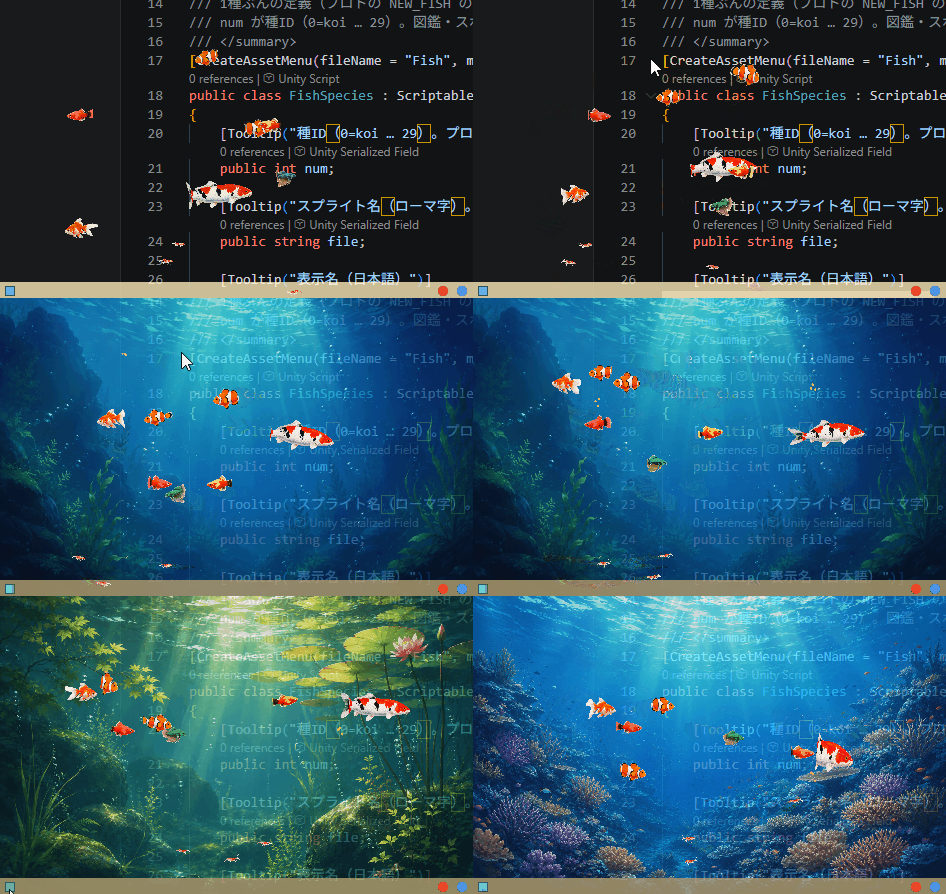
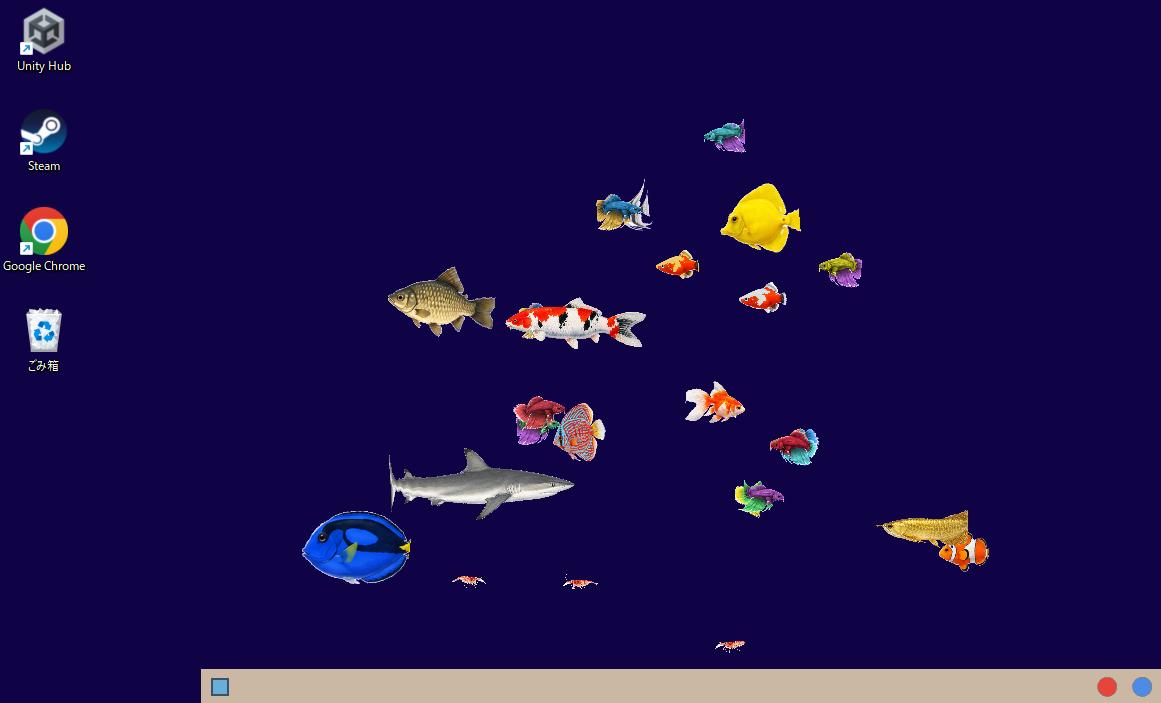
There is no window frame and no background — the fish simply swim across your wallpaper, above whatever you happen to be working on. Clicks pass straight through to the window underneath, so it never gets in your way. It is something to glance at, not something to play.
What you can do
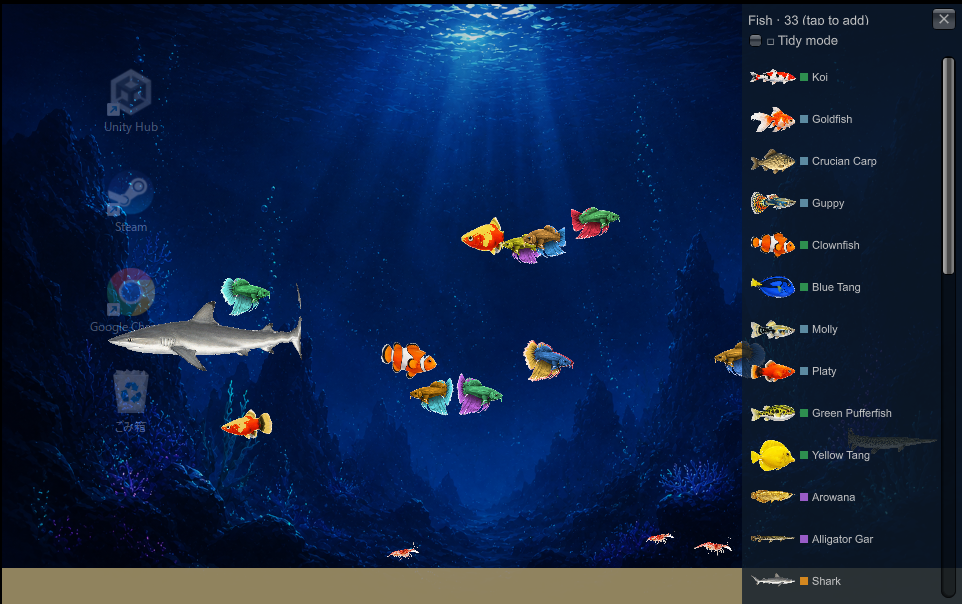
- Pick your fish. 33 hand-drawn freshwater and saltwater species. Tap one in the list and it joins the tank. Up to 40 at a time.
- Feed them. Click the water and pellets drop. The fish notice and swim over.
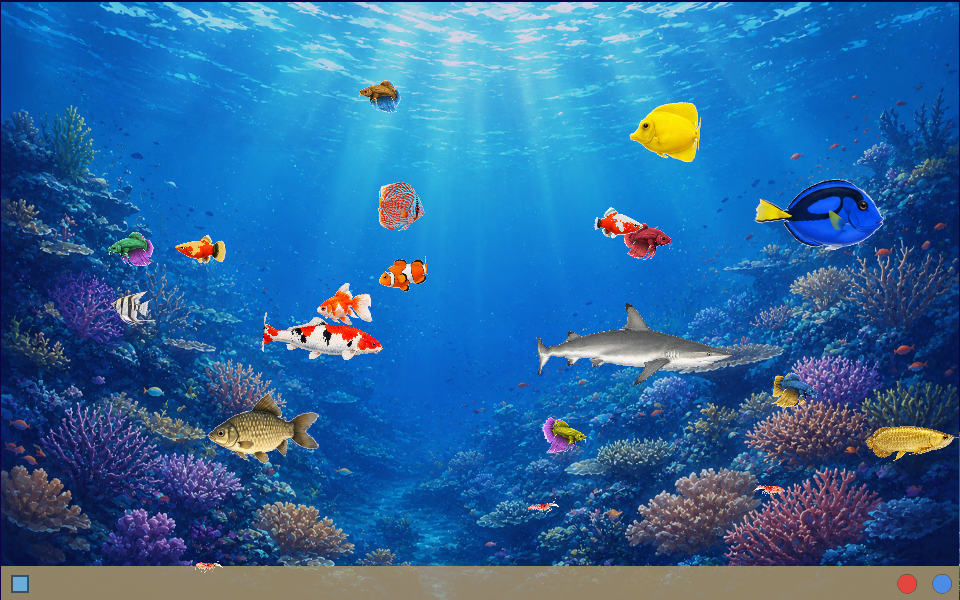
- Change the scenery. Cycle between a transparent glass tank, the open sea, a Japanese garden pond, a coral reef, and the deep sea. Turn the background on and it becomes an ordinary framed aquarium; turn it off and the fish float free over your desktop.
- Put it where you want it. Drag it by the sand at the bottom. Resize it from half size up to full screen.
Every fish swims differently. Cruisers glide, schooling fish dart, bottom dwellers potter along the sand, and each one breathes and bends as it moves.
Free, and quiet about it
No ads. No purchases. No account. No network connection of any kind — the app never talks to the internet, and the only file it writes is your save. Delete the folder and it is gone completely.
Available in English and Japanese (auto-detected on first run, switchable in the menu).
This is a beta
It is stable and it saves your tank, but it is not finished. Things you should know before downloading:
- Windows 10 / 11 only (64-bit). No Mac or Linux build.
- Not code-signed yet, so Windows SmartScreen will show a warning. Click More info → Run anyway. A certificate is out of reach for a free beta.
- Fish sizes are still being tuned.
- Save data may reset if the format changes in a later beta.
Decorations, jellyfish and other creatures are on my mind for future updates.
Tell me what you think
Comments are open, and I read all of them. Bug reports are welcome, but so is "I left it running for a day and got bored of it" — knowing what does not hold your attention is the most useful thing you can tell me right now.
Press Ctrl + Alt + A at any time if the app stops responding to your mouse. Full instructions are in the included README.
Download
Install instructions
Unzip anywhere and run FishHeaven.exe. There is no installer.
Windows may show a blue "Windows protected your PC" screen, because the app is not code-signed yet. Click "More info", then "Run anyway".
The window is transparent and always sits on top. If it ever stops responding to your mouse, press Ctrl + Alt + A to toggle click-through. To quit, click the blue dot at the bottom-right and choose Quit.
Full instructions are in README.txt inside the zip (English and Japanese).
Leave a comment
Log in with itch.io to leave a comment.